






Profit Margin Report
To get the Profit Margin report go to menu bar, select ‘Profit Margin’ which will be under Reports. In that Select Report type, WAC Based ON/OFF, Consignment ON/OFF, Date Range and then Generate Excel.
Once we select this, it will move to new screen where it will have a filled called ‘Report Type’ along with the select of the date range.
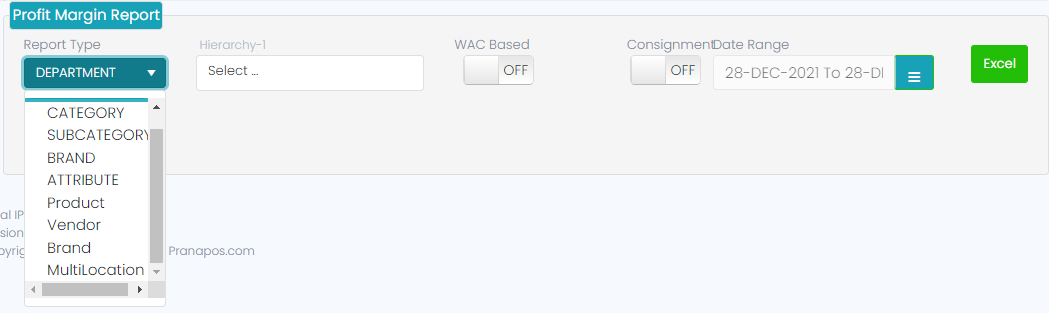
Hierarchy-1-> WAC ON-> Consignment OFF-> Generate Excel

Hierarchy-1-> WAC ON-> Consignment OFF-> Generate Report
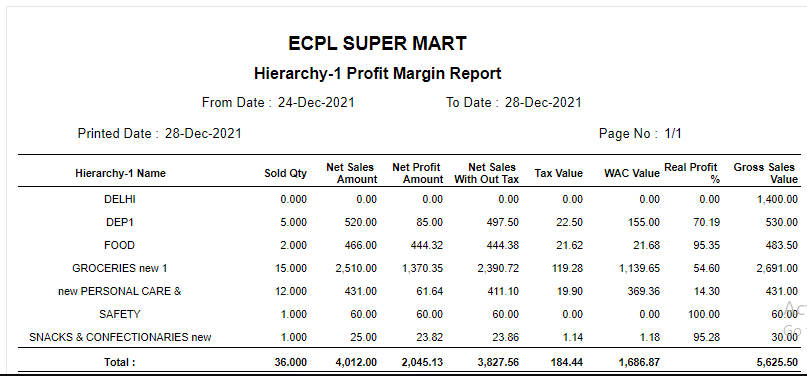
Category-> WAC ON-> Consignment OFF-> Generate Report
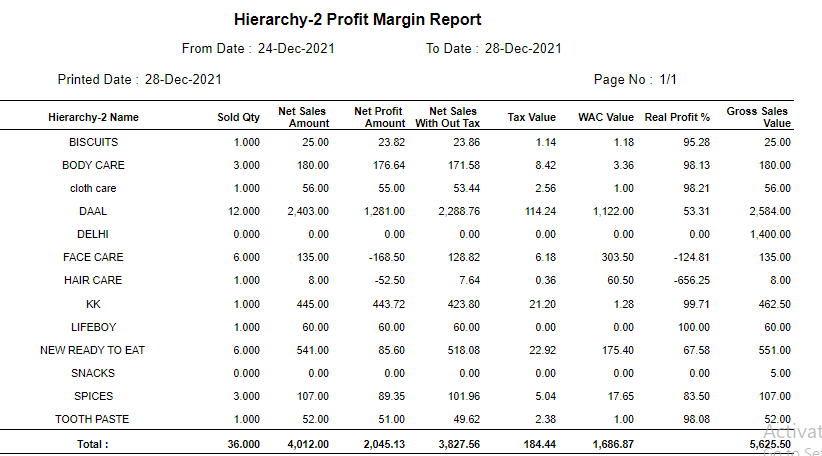
Category-> WAC ON-> Consignment OFF-> Generate Excel

Subcategory-1-> WAC ON-> Consignment OFF-> Generate Report
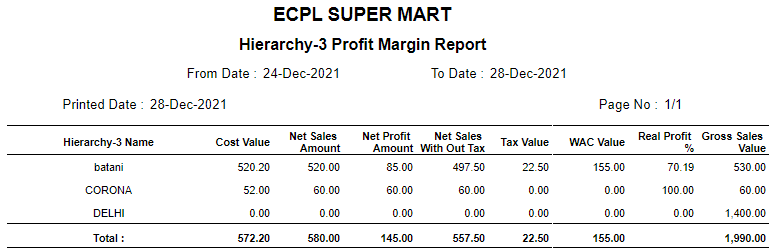
Subcategory-1-> WAC ON-> Consignment OFF-> Generate Excel

Brand-> WAC ON-> Consignment OFF -> Generate Report
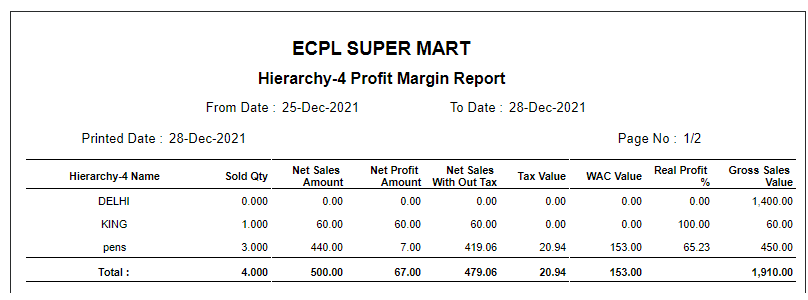
Brand-> WAC ON-> Consignment OFF -> Generate Excel

Attribute-> WAC ON-> Consignment OFF -> Generate Report
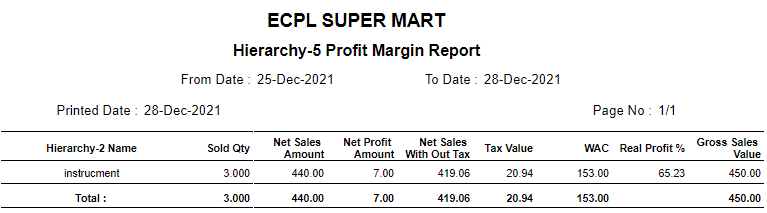
Attribute-> WAC ON-> Consignment OFF -> Generate Excel

Product-> WAC ON-> Consignment OFF -> Generate Report
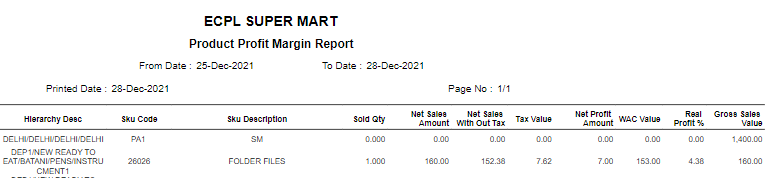
Product-> WAC ON-> Consignment OFF -> Generate Excel

Vendor-> WAC ON-> Consignment OFF -> Generate Report
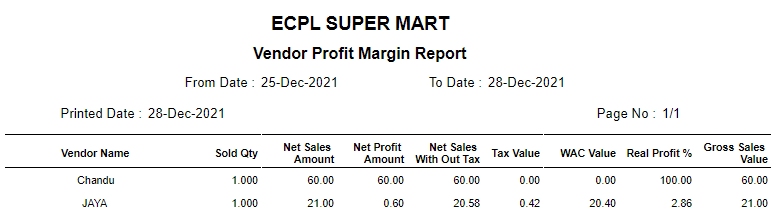
Vendor-> WAC ON-> Consignment OFF -> Generate Excel

Multi Location-> WAC ON-> Consignment OFF -> Generate Report
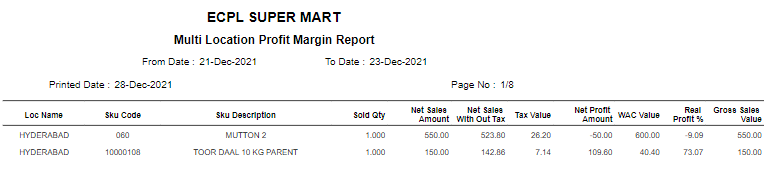
Multi Location-> WAC ON-> Consignment OFF -> Generate Excel
