






Stock Status Report
To get the Stock Status Report go to Reporting, select Stock Status Report in the menu bar, it will open new page as shown in below screenshot.
Below is the Format for the Stock Status Report.
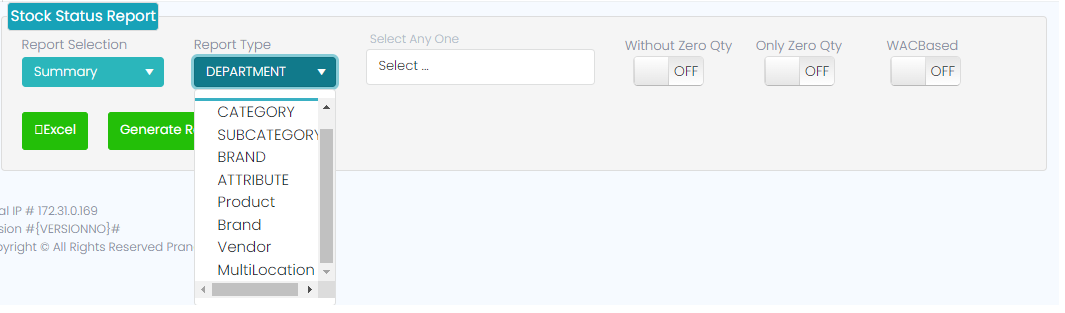
Summary ->Department ->Without Zero ON ->Generate Report
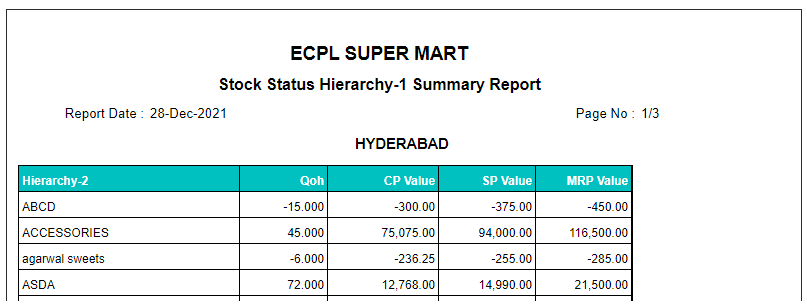
Summary ->Department ->Only Zero ON ->Generate Report
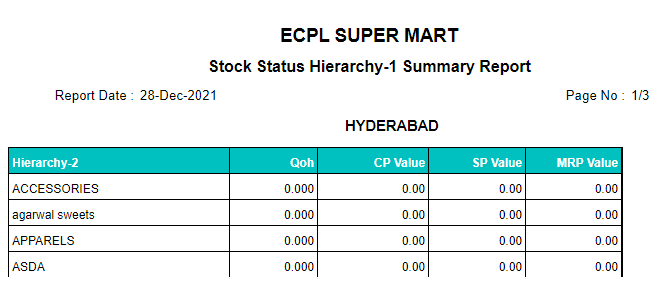
Summary ->Department ->WAC ON ->Generate Report
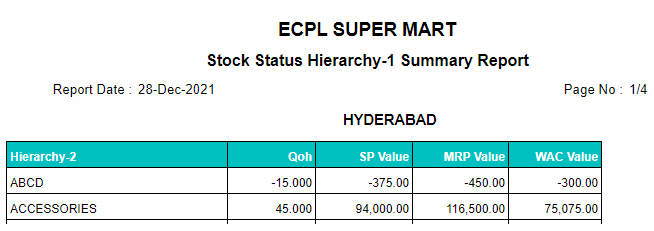
Summary ->Department ->Without Zero ON ->Generate Excel
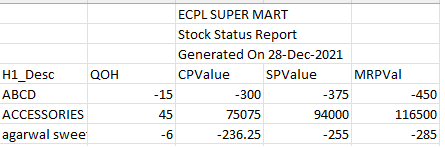
Summary ->Department ->Only Zero ON ->Generate Excel

Summary ->Department ->WAC ON ->Generate Excel

Detail ->Department ->Without Zero ON ->Generate Report
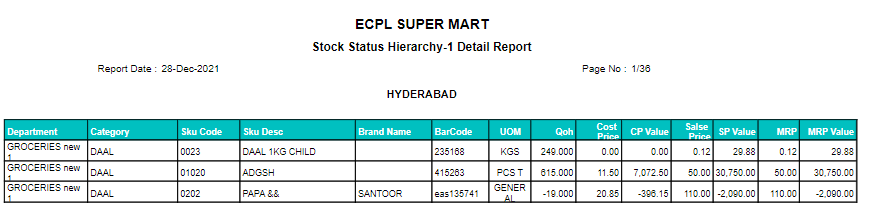
Detail ->Department ->Only Zero ON ->Generate Report
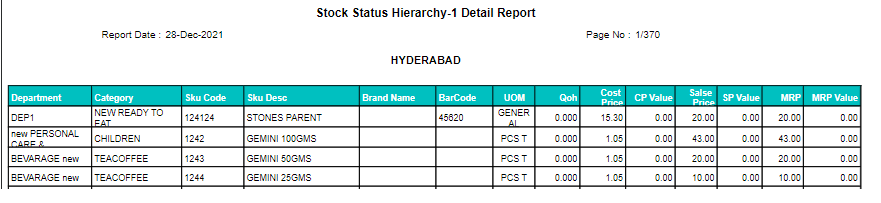
Detail ->Department ->WAC ON ->Generate Report – Not Generating
Detail ->Department ->Without Zero ON ->Generate Excel

Detail ->Department ->Only Zero ON ->Generate Excel

Detail ->Department ->WAC ON ->Generate Excel

Note:
Same will be applicable for remaining report type which as Category, Subcategory, Brand, Attribute, Product, Vendor, Multi Location.