






Stock Movement Report
To get the Stock Movement Report we need to go to menu bar, select Stock movement report under Reports, it will lead to new screen.
In the new screen, Selected fields are Report Type, Sub Type, Date selection, Summary ON/OFF, SKU Search ON/OFF option, Generate report, Excel.

Department ->Summary ON -> Generate Report
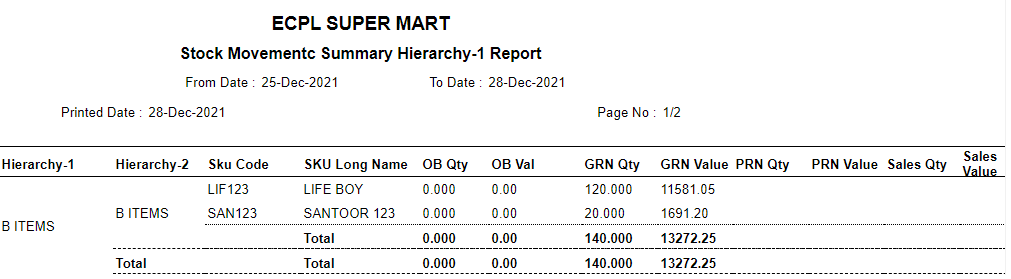

Department ->Summary OFF -> Generate Report
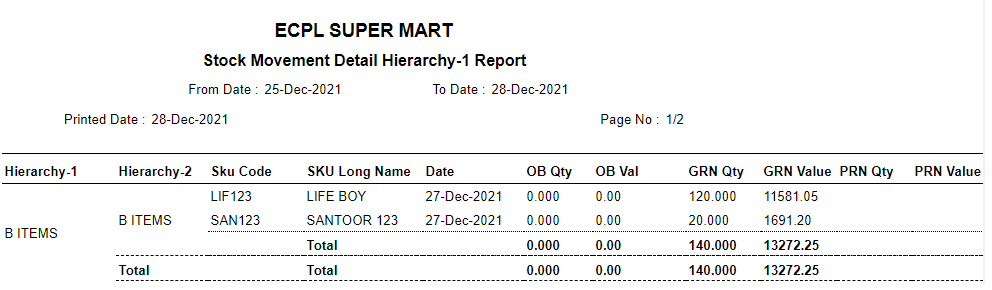

Department ->Summary ON -> Excel


Department ->Summary OFF -> Excel


SKU Search ON -> Excel (If it is ON here, we can search the SKU’s)
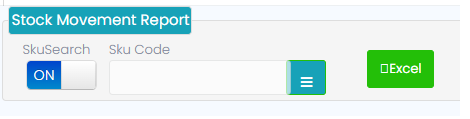
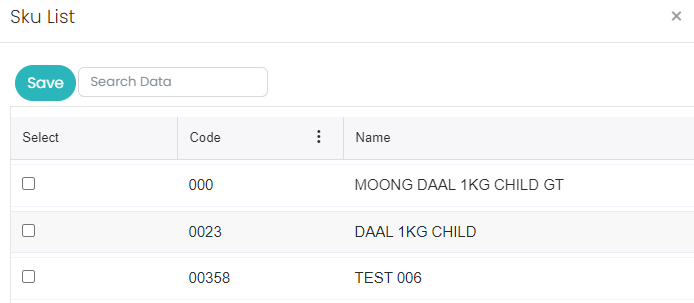
When click on SKU code Search here user can select individually and generate Excel. Select ALL option is not there. As shown, I below screens shot.
Note:
Same will be applicable for remaining report type which as Category, Subcategory, Brand, Product, Attribute.